





PINSIM Pinball FX VR Ready Fully Assembled

PINSIM-Pinball-FX-VR-Ready-Fully-Assembled-01-ztlw PINSIM Pinball FX VR Ready Fully Assembled
PINSIM Pinball FX VR Ready Fully Assembled

PINSIM Pinball FX VR Ready Fully Assembled
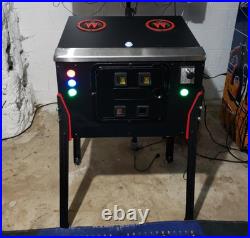
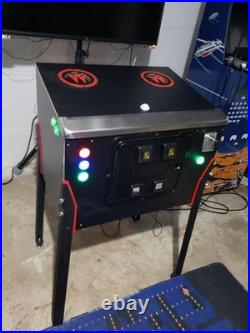
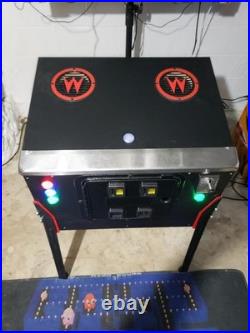
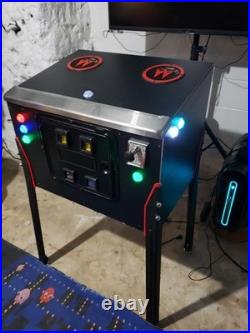
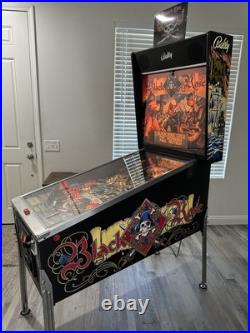
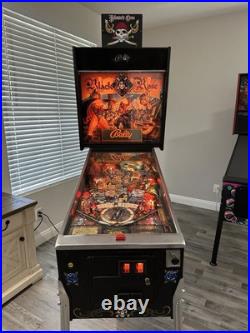
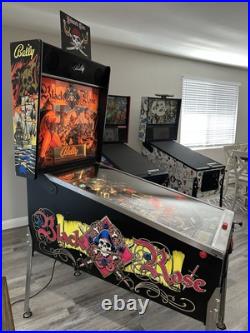
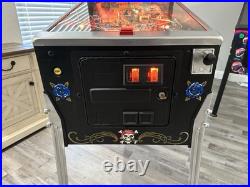
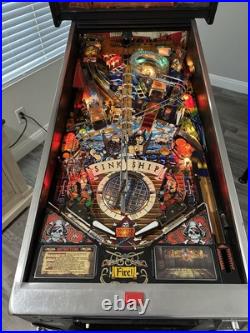
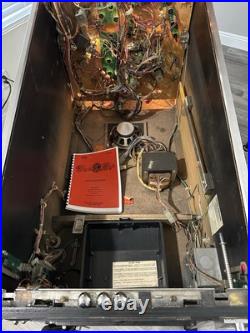
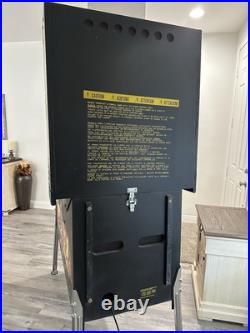
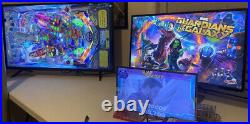
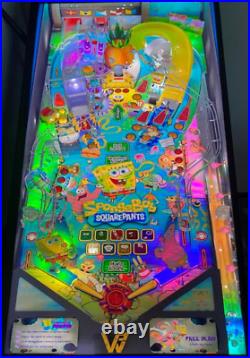
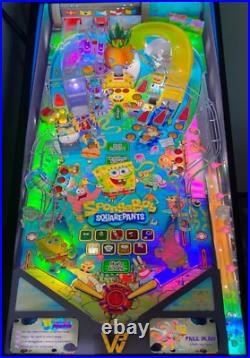
Jump into the VR Pinball world with the PINSIM Virtual Reality Pinball Cabinet Flat Pack! Made from high-quality 3/4 inch plywood, no MDF or cheap wood. Precision CNC cut for perfect fit and extreme strength. Includes pre-drilled flipper buttons, magnasaves, plunger hole, ball launch hole, and more. Compatible with standard Williams-style legs and leg brackets. Rear panel features fan cutouts and access door for internal components. Ideal for a woodworking project. Legs and leg brackets not included. Perfect for VR enthusiasts seeking a sturdy, customizable VR pinball experience! This Pinball FX VR PINSIM Virtual Reality Pinball Cabinet is perfect for anyone looking to to jump into the Pinball FX VR Pinball world and wants a realistic feeling cabinet experience. With our new Cabinets the immersion is as close as it can get to the real thing in VR. This virtual pinball cabinet pinsim has been p. Recision CNC cut using 3/4-inch high-quality black coated birch plywood. This material is Vinyl ready Although they look great just black in my opinion. This Virtual pinball pinsim cabinet is extremely sturdy and feels and plays great. This is a nudging beast and can handle whatever you throw at it. Virtual Pinball is always better if your using real cabinet parts. Although this particular model has been designed to work with your Meta Quest headsets and Pinball FX VR it is easily upgraded down the line for any virtual pinball software emulators like VPX, and Future Pinball. So what’s included???? The Pinball FX VR ready Cabinet Assembled. Cleveland software pin one Mini Board and 12 volt power supply (Full Bluetooth coming soon). 2 Flipper button activated CSD Premium solenoids (No DOF needed). 2 CSD RGB True Leaf Buttons for the flipper’s. Real Williams Lockdown bar for that realistic experience. 2 magnasave buttons and 4 front panel buttons (Ready for use with VPX or Future pinball later on). Real non working coin door Several coin door upgrades are available. 2 4 inch power bass speakers with speaker covers installed in the top panel. 2 audio amps and all the wiring installed (Easily accessed thru the coin door). 2 high quality Exciters installed inside cabinet against wall of cabinet for great Pinball FX VR feedback while playing. Real williams style plunger. 1 Cutout in the bottom and 1 in the rear of the cabinet for 2 120 inch usb powered computer fans. 5.75 inch sub hole in the bottom panel for a sub to be added later on. Real williams pinball legs and mounting hardware installed. Power supply with external switch installed. Our Cabinet has been built specifically to help with the immersion in VR Pinball. The materials and electronics inside this cabinet are far superior to anything available in the market today. Real Wood, Real Lockdown Bar, Real Pinball Legs, and a Real Plunger. Turnaround time on these are only around 2 weeks. Williams speaker covers pictured are not included but they are available if you want them.
PINSIM Pinball FX VR Ready Fully Assembled

Virtual Pinball Machine Computer 1080P VPX PC READY TO GO 16GB i5 GTX 1660Ti

Virtual-Pinball-Machine-Computer-1080P-VPX-PC-READY-TO-GO-16GB-i5-GTX-1660Ti-01-sxwh Virtual Pinball Machine Computer 1080P VPX PC READY TO GO 16GB i5 GTX 1660Ti
Virtual Pinball Machine Computer 1080P VPX PC READY TO GO 16GB i5 GTX 1660Ti

Virtual Pinball Machine Computer 1080P VPX PC READY TO GO 16GB i5 GTX 1660Ti
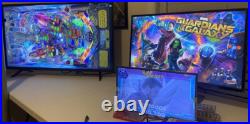
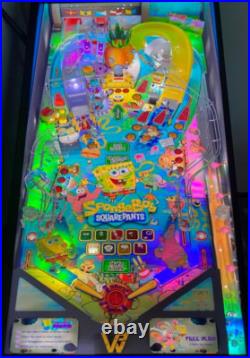
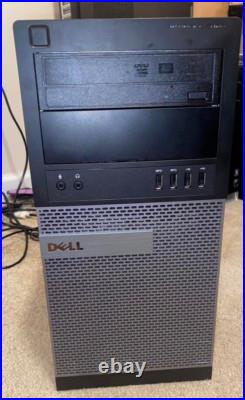
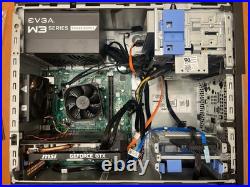
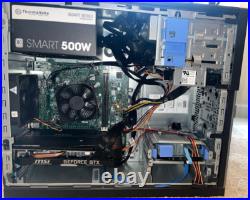
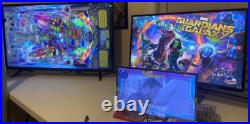
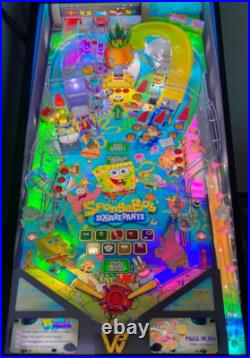
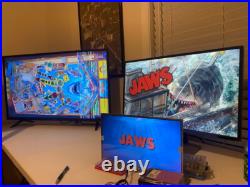
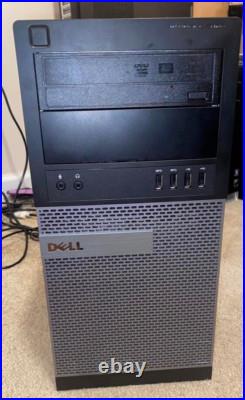
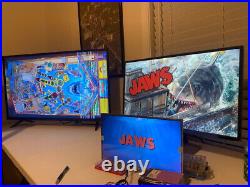
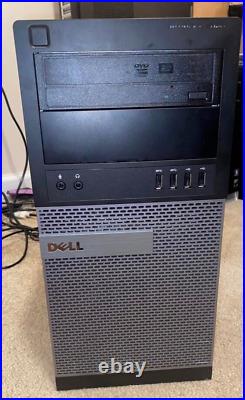
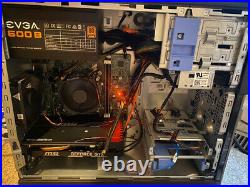
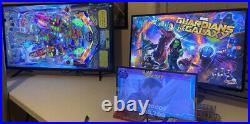
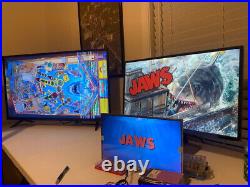
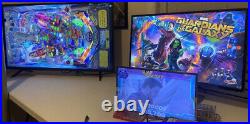
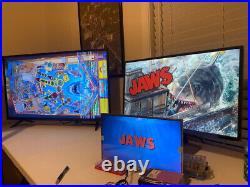
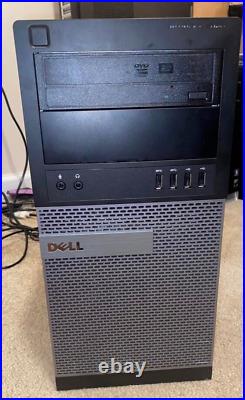
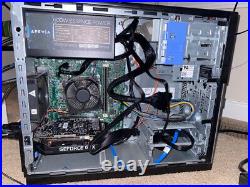
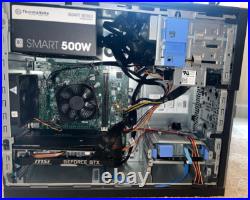
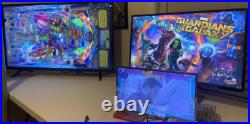
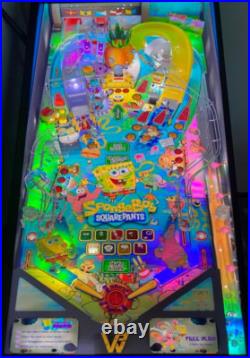
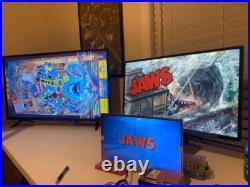
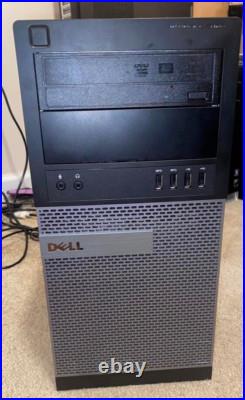
Marked down to move, this will be my last build on this platform, get this one CHEAP! The PC in the photo is the unit you will receive! This is my 1080p build, if you want a NEW or Budget 4K setup, i have those listed as well, check my other listings. Ive owned/built over 40 virtual cabinets/setups in the past, Ive been working in. IT for 20+ years. This build is designed specifically for this setup, which you MUST have. A 16:9 ratio 3rd screen for FULL DMD at 1366×768 (a 1920×1080 3rd screen will typically accept 1366×768 as well). NO USB MONITORS, must run though video card. No “skinny” style 4:1 ratio dmd’s, must be fullscreen style. Your screens need to remember the power state, so when you kill power, and apply power, they auto come on again all pc monitors do this, but some TV’s cant, and require a remote to power on. Screens must up and running before windows boots, or your screens re-arrange each time, and you have to re-configure. If you are wanting 1 screen 2 screen, or slim dmd setup, that’s WAY different, and i don’t mess with that type of setup. These work well with ATGAMES HD 1080p setups, but you NEED to have the 16:9 3rd screen upgrade, otherwise you will have to edit every table and change a lot of files to fit the slim screen. (This will get you up and running 3 screens from a keyboard, but you will need to use Xpadder i believe for the OTG function, and your own audio solution, please check out wagners tech talk for ATGAMES technical help, and how to use a PC with your ATG cabinet). My 4k build i sell here works great with a atgames 4K table too! I want to sell this to. Someone that’s putting together a virtual pinball cabinet and needs a capable. Computer for a good deal, and wants to skip 100s of hours of downloads, and recording preview. NOTE: I will not sell just a “loaded drive” to anyone, please do not ask, and I highly. Suggest you contribute to the forums/groups/sites out there, keep the hobby. Alive, donate/contribute to the table authors whenever you can, they spend. Insane amounts of time creating these tables that we love to play. Dell optiplex case/MB with i5 3.3ghz quad core. NEW Kingston 16gb ram. NEW TeamGroup Vulcan 480GB 2.5 SSD Hard Drive. NEW EVGA power supply. New MSI GeForce 1660TI 6GB Dual Fan Video Card. NEW Cmos battery replaced. Windows 10 PRO (licensed), with windows updates disabled, and everything that doesn’t need to be there, removed or turned off. Currently running the LATEST tables as of A. 2025, running the latest. Baller installer, with VPX 10.7, 10.8beta5, beta7, 10.8RC1, RC3, RC4, with the latest pinmame 3.6, b2s 2.1, and dmdext 2.3.0 (supports new serumV2 color dmds). Im very much on QUALITY over quantity, yeah there’s people running 800+. Tables, but there not that many actually GOOD tables, a lot of tables out there. Are fan made, 1st time tables and they don’t have good graphics, or game play, and its not worth adding. It has 270+ tables, no old VP9 tables, just the latest best looking stuff. Made for 10.7 and 10.8, if a colored rom is available, that table will have. Dozens have had the Pinup Pack treatment as well. Colored rom support works on vni, and the crz/serum/serumV2 format. Currently, PAC is not working, due to differences between the authors of the software. With previous versions, I had all 3 formats, but right not pac format is not working. Several star wars, several batman, several star trek, XMEN, Avengers, ACDC, Metallica, Aerosmith, including the 3 screen capable deadpool, Guardians of the Galaxy, Batman 66, and Iron Maiden, SpongeBob SquarePants, all the GREAT tables of the 90s. The entire build was done during August 2025. Every table runs pretty much stutter free, and never drops from 59-60FPS. At 60FPS, the CPU load never goes above 60% and the video card never goes above 60%. You get the occasional frame drop when a big multiball event happens for. The first time on a table, but not again after the first time it happens, and. Its was VERY few tables. It has pinup popper, multiple VPX exes, DMDext, and vpinSPA. For that “1” G. All VPX tables have had preview videos recorded for playfield, and backglass. If there was a FULLDMD frame available, that game has that DMD. Video recorded as well. This took a LOT of time getting about 600 videos recorded for pinup popper. Future pinball runs 11 tables, the current’good’ tables that FP has. The dell is cabinet install friendly! Cut the front panel power switch. Off, and wire it to a pushbutton on your cabinet, for power on/off, or set the bios to auto power on when it sees AC power, you can shut it down straight from Pinup Popper. IF you connect 3 screens, in the same order, and same resolutions as my setup, all 3 screens should be oriented correctly, and it work as soon as you plug it up. HOWEVER, if you use different hookups, different. Resolutions, it may re organize the screens, and you will have to play with Windows screen settings, and adjust the screens in each VPX executable. I include good documentation! I ran the baller installer to get all my initial setup done, then positioned the DMD’s in the right location on the FULLDMD screen. Software is in’default’ locations, so its where it should be expected. You need to be decent at using computers, installing games and software, basic use and understanding, this is 7 or 8 programs all working together the best they can, and you will have to make adjustments, troubleshoot, and so on, as needed down the road. This is NOT just plug in and it works 100%, its 99% going to be if you connect the screens correctly and the PC detects right off the bat! NOTE: If you screens get out of order, i provide printed out tips, and try to help you the most i can, there’s LOTS of information on the forums and youtube for getting that squared away. The biggest part of this hobby is playing with everything and learning how it works. I recommend you make a full copy of the SSD drive, prior to. Even powering it up, so you have the rock solid working image, before you make. Any changes, this will save your life when you do updates and upgrades later on, and it goes sideways. Its running most of the new “pinup required” type tables in. VPX, like Harry Potter Goblet of Fire, Masters of the Universe, Iron Maiden, Guardians. Of the Galaxy, Batman 66, etc. Latest Adds are Darkest Dungeon, Spooky Wednesday, John Wick, and CyberRace. I also sell plunger kits that work with KL25z and Cleveland Software Boards, if you want a combo deal, just ask (will be setup to work with the plunger, right out of the box).
Virtual Pinball Machine Computer 1080P VPX PC READY TO GO 16GB i5 GTX 1660Ti

Virtual Pinball Machine Computer 1080P VPX PC READY TO GO 16GB i5 GTX 1660Ti

Virtual-Pinball-Machine-Computer-1080P-VPX-PC-READY-TO-GO-16GB-i5-GTX-1660Ti-01-vv Virtual Pinball Machine Computer 1080P VPX PC READY TO GO 16GB i5 GTX 1660Ti
Virtual Pinball Machine Computer 1080P VPX PC READY TO GO 16GB i5 GTX 1660Ti

Virtual Pinball Machine Computer 1080P VPX PC READY TO GO 16GB i5 GTX 1660Ti
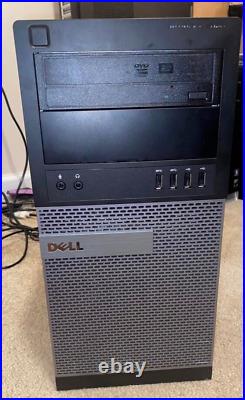
Marked down to move, this will be my last build on this platform, get this one CHEAP! The PC in the photo is the unit you will receive! This is my 1080p build, if you want a NEW or Budget 4K setup, i have those listed as well, check my other listings. Ive owned/built over 40 virtual cabinets/setups in the past, Ive been working in IT for 20+ years. This build is designed specifically for this setup, which you MUST have. A 16:9 ratio 3rd screen for FULL DMD at 1366×768 (a 1920×1080 3rd screen will typically accept 1366×768 as well). NO USB MONITORS, must run though video card. No “skinny” style 4:1 ratio dmd’s, must be fullscreen style. Your screens need to remember the power state, so when you kill power, and apply power, they auto come on again (all pc monitors do this, but some TV’s cant, and require a remote to power on each time). Screens must up and running before windows boots, or your screens re-arrange each time, and you have to re-configure. If you are wanting 1 screen 2 screen, or slim dmd setup, that’s WAY different, and i don’t mess with that type of setup. These work well with ATGAMES HD 1080p setups, but you NEED to have the 16:9 3rd screen upgrade, otherwise you will have to edit every table and change a lot of files to fit the slim screen. (This will get you up and running 3 screens from a keyboard, but you will need to use Xpadder i believe for the OTG function, and your own audio solution, please check out wagners tech talk for ATGAMES technical help, and how to use a PC with your ATG cabinet). My 4k build i sell here works great with a atgames 4K table too! I want to sell this to someone that’s putting together a virtual pinball cabinet and needs a capable computer for a good deal, and wants to skip 100s of hours of downloads, and recording preview videos. NOTE: I will not sell just a “loaded drive” to anyone, please do not ask, and I highly suggest you contribute to the forums/groups/sites out there, keep the hobby alive, donate/contribute to the table authors whenever you can, they spend insane amounts of time creating these tables that we love to play. Dell optiplex case/MB with i5 3.3ghz quad core. NEW Teamgroup 16GB RAM. NEW TeamGroup Vulcan 480GB 2.5 SSD Hard Drive. NEW Thermaltake 500w PSU. MSI GeForce 1660TI 6GB Dual Fan Video Card. NEW Cmos battery replaced. Windows 10 PRO (licensed), with windows updates disabled, and everything that doesn’t need to be there, removed or turned off. Currently running the LATEST tables as of April 2025, running the latest baller installer, with VPX 10.7, 10.8beta5, beta7, 10.8RC1, RC3, RC4, with the latest pinmame 3.6, b2s 2.1, and dmdext 2.3.0 (supports new serumV2 color dmds). Im very much on QUALITY over quantity, yeah there’s people running 800+ tables, but there not that many actually GOOD tables, a lot of tables out there are fan made, 1st time tables and they don’t have good graphics, or game play, and its not worth adding. It has 270+ tables, no old VP9 tables, just the latest best looking stuff made for 10.7 and 10.8, if a colored rom is available, that table will have that! Dozens have had the Pinup Pack treatment as well. Colored rom support works on vni, and the crz/serum/serumV2 format. Currently, PAC is not working, due to differences between the authors of the software. With previous versions, I had all 3 formats, but right not pac format is not working. Several star wars, several batman, several star trek, XMEN, Avengers, ACDC, Metallica, Aerosmith, including the 3 screen capable deadpool, Guardians of the Galaxy, Batman 66, and Iron Maiden, SpongeBob SquarePants, all the GREAT tables of the 90s. The entire build was done during April 2025. Every table runs pretty much stutter free, and never drops from 59-60FPS, at 60FPS, the CPU load never goes above 60% and the video card never goes above 60%. (you get the occasional frame drop when a big multiball event happens for the first time on a table, but not again after the first time it happens, and its was VERY few tables). It has pinup popper, multiple VPX exes, DMDext, and vpinSPA for that “1” G. All VPX tables have had preview videos recorded for playfield, and backglass. If there was a FULLDMD frame available, that game has that DMD video recorded as well. This took a LOT of time getting about 600 videos recorded for pinup popper. Future pinball runs 11 tables, the current’good’ tables that FP has. The dell is cabinet install friendly! Cut the front panel power switch off, and wire it to a pushbutton on your cabinet, for power on/off, or set the bios to auto power on when it sees AC power, you can shut it down straight from Pinup Popper. IF you connect 3 screens, in the same order, and same resolutions as my setup, all 3 screens should be oriented correctly, and it work as soon as you plug it up. HOWEVER, if you use different hookups, different resolutions, it may re organize the screens, and you will have to play with Windows screen settings, and adjust the screens in each VPX executable. I include good documentation! I ran the baller installer to get all my initial setup done, then positioned the DMD’s in the right location on the FULLDMD screen. Software is in’default’ locations, so its where it should be expected. You need to be decent at using computers, installing games and software, basic use and understanding, this is 7 or 8 programs all working together the best they can, and you will have to make adjustments, troubleshoot, and so on, as needed down the road. This is NOT just plug in and it works 100%, its 99% going to be if you connect the screens correctly and the PC detects right off the bat! NOTE: If you screens get out of order, i provide printed out tips, and try to help you the most i can, there’s LOTS of information on the forums and youtube for getting that squared away. The biggest part of this hobby is playing with everything and learning how it works. I recommend you make a full copy of the SSD drive, prior to even powering it up, so you have the rock solid working image, before you make any changes, this will save your life when you do updates and upgrades later on, and it goes sideways. Its running most of the new “pinup required” type tables in VPX, like Harry Potter Goblet of Fire, Masters of the Universe, Iron Maiden, Guardians of the Galaxy, Batman 66, etc. Latest Adds are Darkest Dungeon, Spooky Wednesday, John Wick, and CyberRace. I also sell plunger kits that work with KL25z and Cleveland Software Boards, if you want a combo deal, just ask (will be setup to work with the plunger, right out of the box).

Virtual Pinball Machine Computer 1080P VPX PC READY TO GO 16GB i5 GTX 1660Ti

Virtual Pinball Machine Computer 1080P VPX PC READY TO GO 16GB i5 GTX 1660Ti

Virtual-Pinball-Machine-Computer-1080P-VPX-PC-READY-TO-GO-16GB-i5-GTX-1660Ti-01-tww Virtual Pinball Machine Computer 1080P VPX PC READY TO GO 16GB i5 GTX 1660Ti
Virtual Pinball Machine Computer 1080P VPX PC READY TO GO 16GB i5 GTX 1660Ti

Virtual Pinball Machine Computer 1080P VPX PC READY TO GO 16GB i5 GTX 1660Ti
The PC in the photo is the unit you will receive! This is my 1080p build, if you want a NEW or Budget 4K setup, i have those listed as well, check my other listings. Ive owned/built over 40 virtual cabinets/setups in the past, Ive been working in IT for 20+ years. This build is designed specifically for this setup, which you MUST have. A 16:9 ratio 3rd screen for FULL DMD at 1366×768 (a 1920×1080 3rd screen will typically accept 1366×768 as well). NO USB MONITORS, must run though video card. No “skinny” style 4:1 ratio dmd’s, must be fullscreen style. Your screens need to remember the power state, so when you kill power, and apply power, they auto come on again (all pc monitors do this, but some TV’s cant, and require a remote to power on each time). Screens must up and running before windows boots, or your screens re-arrange each time, and you have to re-configure. If you are wanting 1 screen 2 screen, or slim dmd setup, that’s WAY different, and i don’t mess with that type of setup. These work well with ATGAMES HD 1080p setups, but you NEED to have the 16:9 3rd screen upgrade, otherwise you will have to edit every table and change a lot of files to fit the slim screen. (This will get you up and running 3 screens from a keyboard, but you will need to use Xpadder i believe for the OTG function, and your own audio solution, please check out wagners tech talk for ATGAMES technical help, and how to use a PC with your ATG cabinet). My 4k build i sell here works great with a atgames 4K table too! I want to sell this to someone that’s putting together a virtual pinball cabinet and needs a capable computer for a good deal, and wants to skip 100s of hours of downloads, and recording preview videos. NOTE: I will not sell just a “loaded drive” to anyone, please do not ask, and I highly suggest you contribute to the forums/groups/sites out there, keep the hobby alive, donate/contribute to the table authors whenever you can, they spend insane amounts of time creating these tables that we love to play. Dell optiplex case/MB with i5 3.3ghz quad core. NEW Teamgroup 16GB RAM. NEW TeamGroup Vulcan 480GB 2.5 SSD Hard Drive. NEW Thermaltake 500w PSU. MSI GeForce 1660TI 6GB Dual Fan Video Card. NEW Cmos battery replaced. Windows 10 PRO (licensed), with windows updates disabled, and everything that doesn’t need to be there, removed or turned off. Currently running the LATEST tables as of April 2025, running the latest baller installer, with VPX 10.7, 10.8beta5, beta7, 10.8RC1, RC3, RC4, with the latest pinmame 3.6, b2s 2.1, and dmdext 2.3.0 (supports new serumV2 color dmds). Im very much on QUALITY over quantity, yeah there’s people running 800+ tables, but there not that many actually GOOD tables, a lot of tables out there are fan made, 1st time tables and they don’t have good graphics, or game play, and its not worth adding. It has 270+ tables, no old VP9 tables, just the latest best looking stuff made for 10.7 and 10.8, if a colored rom is available, that table will have that! Dozens have had the Pinup Pack treatment as well. Colored rom support works on vni, and the crz/serum/serumV2 format. Currently, PAC is not working, due to differences between the authors of the software. With previous versions, I had all 3 formats, but right not pac format is not working. Several star wars, several batman, several star trek, XMEN, Avengers, ACDC, Metallica, Aerosmith, including the 3 screen capable deadpool, Guardians of the Galaxy, Batman 66, and Iron Maiden, SpongeBob SquarePants, all the GREAT tables of the 90s. The entire build was done during April 2025. Every table runs pretty much stutter free, and never drops from 59-60FPS, at 60FPS, the CPU load never goes above 60% and the video card never goes above 60%. (you get the occasional frame drop when a big multiball event happens for the first time on a table, but not again after the first time it happens, and its was VERY few tables). It has pinup popper, multiple VPX exes, DMDext, and vpinSPA for that “1” G. All VPX tables have had preview videos recorded for playfield, and backglass. If there was a FULLDMD frame available, that game has that DMD video recorded as well. This took a LOT of time getting about 600 videos recorded for pinup popper. Future pinball runs 11 tables, the current’good’ tables that FP has. The dell is cabinet install friendly! Cut the front panel power switch off, and wire it to a pushbutton on your cabinet, for power on/off, or set the bios to auto power on when it sees AC power, you can shut it down straight from Pinup Popper. IF you connect 3 screens, in the same order, and same resolutions as my setup, all 3 screens should be oriented correctly, and it work as soon as you plug it up. HOWEVER, if you use different hookups, different resolutions, it may re organize the screens, and you will have to play with Windows screen settings, and adjust the screens in each VPX executable. I include good documentation! I ran the baller installer to get all my initial setup done, then positioned the DMD’s in the right location on the FULLDMD screen. Software is in’default’ locations, so its where it should be expected. You need to be decent at using computers, installing games and software, basic use and understanding, this is 7 or 8 programs all working together the best they can, and you will have to make adjustments, troubleshoot, and so on, as needed down the road. This is NOT just plug in and it works 100%, its 99% going to be if you connect the screens correctly and the PC detects right off the bat! NOTE: If you screens get out of order, i provide printed out tips, and try to help you the most i can, there’s LOTS of information on the forums and youtube for getting that squared away. The biggest part of this hobby is playing with everything and learning how it works. I recommend you make a full copy of the SSD drive, prior to even powering it up, so you have the rock solid working image, before you make any changes, this will save your life when you do updates and upgrades later on, and it goes sideways. Its running most of the new “pinup required” type tables in VPX, like Harry Potter Goblet of Fire, Masters of the Universe, Iron Maiden, Guardians of the Galaxy, Batman 66, etc. Latest Adds are Darkest Dungeon, Spooky Wednesday, John Wick, and CyberRace. I also sell plunger kits that work with KL25z and Cleveland Software Boards, if you want a combo deal, just ask (will be setup to work with the plunger, right out of the box).

Virtual Pinball Machine Computer 1080P VPX PC READY TO GO 16GB i5 GTX 1660Ti

Virtual Pinball Machine Computer 1080P VPX PC READY TO GO intel i5 GTX 1660Ti

Virtual-Pinball-Machine-Computer-1080P-VPX-PC-READY-TO-GO-intel-i5-GTX-1660Ti-01-vt Virtual Pinball Machine Computer 1080P VPX PC READY TO GO intel i5 GTX 1660Ti
Virtual Pinball Machine Computer 1080P VPX PC READY TO GO intel i5 GTX 1660Ti

Virtual Pinball Machine Computer 1080P VPX PC READY TO GO intel i5 GTX 1660Ti
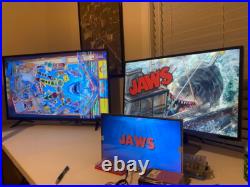
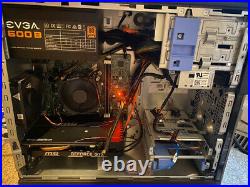
9-3-24, new prices on these 1080 builds! This is my 1080p build, if you want a NEW 4K setup, i have those listed as well, check my other listings. Ive owned/built over 15 virtual cabinets in the past, Ive been working in IT for 20+ years. Please note, this if for a 3screen setup ONLY, running a 16:9 3rd screen. If you are wanting 1 screen, or a 2 screen setup, thats WAY different, and i dont mess with that type of setup. These work well with ATGAMES HD 1080p setups, but you NEED to have the 16:9 3rd screen upgrade, otherwise you will have to edit every table and change a lot of files to fit the slim screen. (This will get you up and running 3 screens from a keyboard, but you will need to use Xpadder or Joy-2-key i believe for the OTG function, and your own audio solution, please check out wagners tech talk for ATGAMES technical help, and how to use a PC with your cabinet). My 4k build i sell here works great with a atgames 4K table too! I want to sell this to someone that’s putting together a virtual pinball cabinet and needs a capable computer for a good deal, and wants to skip 100s of hours of downloads, and recording preview videos. NOTE: I will not sell just a “loaded drive” to anyone, please do not ask, and I highly suggest you contribute to the forums/groups/sites out there, keep the hobby alive, donate/contribute to the table authors whenever you can, they spend insane amounts of time creating these tables that we love to play. I5 4590 3.3ghz quad core. NEW Teamgroup 16GB RAM. Thermaltake 750w TR2 RX PSU (photo shows last build with different PSU). GeForce 1660TI 6GB Video Card. NEW TeamGroup Vulcan 480GB SSD Hard Drive. Windows 10 PRO (licensed), with windows updates disabled, and everything that doesn’t need to be there, removed or turned off. Currently running the LATEST tables as of August 2024, running the latest baller installer, with VPX 10.7, 10.8beta5, beta7, 10.8RC1, RC3, RC4, with the latest pinmame 3.6, and b2s 2.1. Im very much on QUALITY over quantity, yeah there’s people running 800+ tables, but there not that many actually GOOD tables, a lot of tables out there are fan made, 1st time tables and they don’t have good graphics, or game play. It has 250+ tables, no old VP9 tables, just the latest best looking stuff made for 10.7 and 10.8, if a colored rom is available, that table will have that! Dozens have had the Pinup Pack treatment as well. Colored rom support works on vni, and the crz/serum format. Currently, PAC is not working, due to differences between the authors of the software. With previous versions, I had all 3 formats, so waiting to see a fix come out! Several star wars, several batman, several star trek, XMEN, Avengers, ACDC, Metallica, Aerosmith, including the 3 screen capable deadpool, Guardians of the Galaxy, Batman 66, and Iron Maiden, SpongeBob SquarePants. The entire build was done during August 2024. Every table runs pretty much stutter free, and never drops from 59-60FPS, at 60FPS, the CPU load never goes above 54% and the video card never goes above 45%. (you get the occasional frame drop when a big multiball event happens for the first time on a table, but not again after the first time it happens, and its was VERY few tables). It has pinup popper, multiple VPX exes, DMDext, and vpinSPA for that “1” G. Video card is setup for 3 screens, a 1080 playfield, a 1080 backglass, and a 15.6 FULL DMD, at 1366×768 (if you have a 1080p dmd screen, it still run 1366×768 no problem). All VPX tables have had preview videos recorded for playfield, and backglass. If there was a FULLDMD frame available, that game has that DMD video recorded as well. This took a LOT of time getting about 600 videos recorded for pinup popper. Future pinball runs 11 tables, the current’good’ tables that FP has. The dell is cabinet install friendly! Cut the front panel power switch off, and wire it to a pushbutton on your cabinet, for power on/off, or set the bios to auto power on when it sees AC power, you can shut it down straight from Pinup Popper. IF you connect 3 screens, in the same order, and same resolutions as my setup, all 3 screens should be oriented correctly, and it work as soon as you plug it up. HOWEVER, if you use different hookups, different resolutions, it may re organize the screens, and you will have to play with Windows screen settings, and adjust the screens in each VPX executable. I ran the baller installer to get all my initial setup done, then positioned the DMD’s in the right location on the FULLDMD screen. Software is in’default’ locations, so its where it should be expected. You need to be decent at using computers, installing games and software, basic use and understanding, this is 7 or 8 programs all working together the best they can, and you will have to make adjustments, troubleshoot, and so on, as needed down the road. This is NOT just plug in and it works 100%, its 99% going to be if you connect the screens correctly and the detect right off the bat! NOTE: If you screens get out of order, i will provide printed out tips, and try to help you the most i can, there’s LOTS of information on the forums and youtube for getting that squared away. The biggest part of this hobby is playing with everything and learning how it works. I recommend you make a full copy of the SSD drive, prior to even powering it up, so you have the rock solid working image, before you make any changes, this will save your life when you do updates and upgrades later on, and it goes sideways. Its running most of the new “pinup required” type tables in VPX, like Harry Potter Goblet of Fire, Masters of the Universe, Iron Maiden, Guardians of the Galaxy, Batman 66, etc. Latest Adds are Darkest Dungeon, Spooky Wednesday, John Wick, and CyberRace. I also sell plunger kits and KL25Z boards, if you want a combo deal, just ask!


Virtual Pinball Machine Computer 1080P VPX PC READY TO GO intel i5 GTX 1660Ti

Virtual Pinball Machine Computer VPX PC READY TO GO intel i5 GTX 1660 Super

Virtual-Pinball-Machine-Computer-VPX-PC-READY-TO-GO-intel-i5-GTX-1660-Super-01-jjav Virtual Pinball Machine Computer VPX PC READY TO GO intel i5 GTX 1660 Super
Virtual Pinball Machine Computer VPX PC READY TO GO intel i5 GTX 1660 Super

Virtual Pinball Machine Computer VPX PC READY TO GO intel i5 GTX 1660 Super
This is my 1080p build, if you want a NEW 4K setup, i sometimes have those listed as well, check my other listings. Ive owned/built over 15 virtual cabinets in the past, Ive been working in IT for 20+ years. These work well with ATGAMES setups, but you NEED to have the 16:9 3rd screen upgrade, otherwise you will have to edit every table and change a lot of files to fit the slim screen. My 4k build worked great with a atgames 4K table too! I want to sell this to someone that’s putting together a virtual pinball cabinet and needs a capable computer for a good deal, and wants to skip 100s of hours of downloads, and recording preview videos. NOTE: I will not sell just a “loaded drive” to anyone, please do not ask, and I highly suggest you contribute to the forums/groups/sites out there, keep the hobby alive, donate/contribute to the table authors whenever you can, they spend insane amounts of time creating these tables that we love to play. I5 4590 3.3ghz quad core. NEW Teamgroup 16GB RAM. NEW Apevia 600w PSU (photo shows last build with different PSU). GeForce 1660 Super 6GB Video Card (MFG varies from build to build). NEW TeamGroup Vulcan 480GB SSD Hard Drive. Windows 10 PRO (licensed), with windows updates disabled, and everything that doesn’t need to be there, removed or turned off. Currently running the LATEST tables as of May 2024, running 64bit VPX 10.7, several 10.8beta’s, 10.8 RC3 and also Future Pinball. Also on VpinMAME 3.6 929, flexDMD, and DMDExt. Im very much on QUALITY over quantity, yeah there’s people running 800+ tables, but there not that many actually GOOD tables, a lot of tables out there are fan made’fantasy’, 1st time tables and they don’t have good graphics, or game play. It has 240+ tables, and all the most recent versions up to May 2024, no old VP9 tables, just the latest best looking stuff made for 10.7 and 10.8beta, Dozens have colored ROMS, and many have had the Pinup Pack treatment as well. Colored rom support works on vni, and the crz/serum format. Currently, PAC is not working, due to differences between the authors of the software. With previous versions, I had all 3 formats, so waiting to see a fix come out! Several star wars, several batman, several star trek, XMEN, Avengers, ACDC, Metallica, Aerosmith, including the 3 screen capable deadpool, Guardians of the Galaxy, Batman 66, and Iron Maiden, SpongeBob SquarePants. The entire build was done during April-May 2024. Every table runs pretty much stutter free, and never drops from 59-60FPS, at 60FPS, the CPU load never goes above 44% and the video card never goes above 45%. (you get the occasional frame drop when a big multiball event happens for the first time on a table, but not again after the first time it happens, and its was VERY few tables). It has pinup popper, multiple VPX exes, DMDext, and vpinSPA for that “1” G. Video card is setup for 3 screens, a 1080 playfield, a 1080 backglass, and a 15.6 FULL DMD, at 1366×768. All VPX tables have had preview videos recorded for playfield, and backglass. If there was a FULLDMD frame available, that game has that DMD video recorded as well. This took a LOT of time getting about 600 videos recorded for pinup popper. Future pinball runs 11 tables, the current’good’ tables that FP has. The dell is cabinet install friendly! Cut the front panel power switch off, and wire it to a pushbutton on your cabinet, for power on/off, or set the bios to auto power on when it sees AC power, you can shut it down straight from Pinup Popper. IF you connect 3 screens, in the same order, and same resolutions as my setup, all 3 screens should be oriented correctly, and it work as soon as you plug it up. HOWEVER, if you use different hookups, different resolutions, it may re organize the screens, and you will have to play with Windows screen settings, and adjust the screens in each VPX executable. I ran the baller installer to get all my initial setup done, then positioned the DMD’s in the right location on the FULLDMD screen. Software is in’default’ locations, so its where it should be expected. You need to be decent at using computers, installing games and software, basic use and understanding, this is 7 or 8 programs all working together the best they can, and you will have to make adjustments, troubleshoot, and so on, as needed. This is NOT just plug in and it works 100%, its 99% going to be, if you connect the screen correctly right off the bat though! NOTE: If you screens get out of order, i will provide printed out tips, and try to help you the most i can, that’s something almost impossible to troubleshoot without being there, there’s LOTS of information on the forums and youtube for getting that squared away. The biggest part of this hobby is playing with everything and learning how it works. I recommend you make a full copy of the SSD drive, prior to even powering it up, so you have the rock solid working image, before you make any changes, this will save your life when you do updates and upgrades later on, and it goes sideways. Its running most of the new “pinup required” type tables in VPX, like Harry Potter Goblet of Fire, Masters of the Universe, Iron Maiden, Guardians of the Galaxy, Batman 66, etc. Latest Adds are Darkest Dungeon, Spooky Wednesday, John Wick, and CyberRace. The only tables that the framerate tries to slow down sometimes, is on is the new VPW FishTales and other releases from vpw, and even on my RTX4060 machine, i had to turn off some of the pretty stuff to keep a constant 60fps. I also sell plunger kits and KL25Z boards, if you want a combo deal, just ask!
Virtual Pinball Machine Computer VPX PC READY TO GO intel i5 GTX 1660 Super

AtGames Legends Digital Pinball Table Special Bonus W Coin Ops Ready

AtGames-Legends-Digital-Pinball-Table-Special-Bonus-W-Coin-Ops-Ready-01-ivq AtGames Legends Digital Pinball Table Special Bonus W Coin Ops Ready
AtGames Legends Digital Pinball Table Special Bonus W Coin Ops Ready

AtGames Legends Digital Pinball Table Special Bonus W Coin Ops Ready
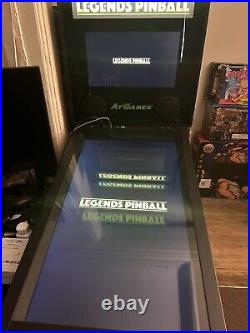
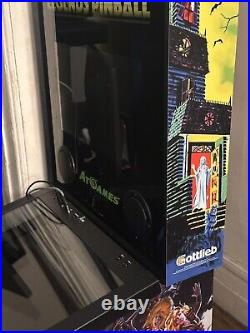
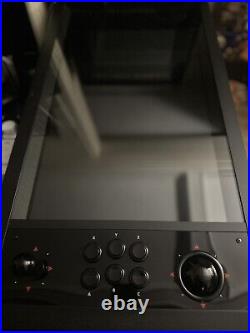
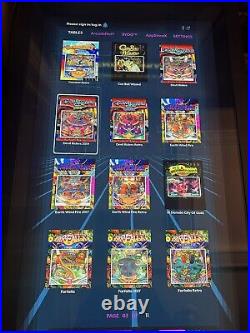
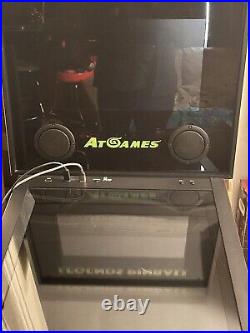
This AtGames Legends Digital Pinball Table barely used that comes with both the Original controller and the installed controller with 6 buttons. This pinball table is perfect for those who love classic arcade games and want to bring that experience into their own home. With its coin ops ready feature, already included with the separate usb drive if you want to use it.
AtGames Legends Digital Pinball Table Special Bonus W Coin Ops Ready

Virtual Pinball Machine Computer VPX PC READY TO GO, NEW GTX1660 NEW PSU

Virtual-Pinball-Machine-Computer-VPX-PC-READY-TO-GO-NEW-GTX1660-NEW-PSU-01-algt Virtual Pinball Machine Computer VPX PC READY TO GO, NEW GTX1660 NEW PSU
Virtual Pinball Machine Computer VPX PC READY TO GO, NEW GTX1660 NEW PSU

Virtual Pinball Machine Computer VPX PC READY TO GO, NEW GTX1660 NEW PSU
Plug in 3 monitors, launch the PinUP app and go! Ive owned several virtual cabinets in the past, Ive been working in IT for 20+ years. I want to sell this to someone that’s putting together a virtual pinball cabinet and needs a capable computer for a good deal, and wants to skip 100s of hours of downloads, and recording preview videos. NOTE: I will not sell a “loaded drive” to anyone, please do not ask, and I highly suggest you contribute to the forums/groups/sites out there, keep the hobby alive, donate/contribute to the table authors whenever you can, they spend insane amounts of time creating these tables that we love to play. Dell tower with i5 4590 3.3ghz quad core, 8GB RAM. NEW Apevia 600w PSU. NEW PNY XLR8 6GB GTX 1660 Super Video card box included! 240GB SSD Hard Drive. Windows 10 PRO (licensed), with windows updates disabled, and everything that doesn’t need to be there, removed or turned off. Currently running the LATEST tables as of September 2023, running 64bit now! On VPX 10.7,10.8 and also Future Pinball. Im very much on QUALITY over quantity, yeah there’s people running 800+ tables, but there not that many actually GOOD tables, a lot are fan made’fantasy’, 1st time tables and they don’t have good graphics, or game play. It has 200+ tables, and all the most recent versions up to September of 2023, no old VP9 junk, just the latest best looking stuff made for 10.7 and 10.8, if a colored rom is available, that table will have that! Dozens have had the Pinup Pack treatment as well. Colored rom support works on vni, pac, and the crz/serum format. Several star wars, several batman, several star trek, XMEN, Avengers, ACDC, Metallica, Aerosmith, including the 3 screen capable deadpool, Guardians of the Galaxy, Batman 66, and Iron Maiden. The entire build was done during August to Sept 2023. Every table runs pretty much stutter free, and never drops from 59-60FPS, at 60FPS, the CPU load never goes above 30% and the video card never goes above 35%. (you get the occasional frame drop when a big multiball event happens for the first time on a table, but not again after the first time it happens, and its was VERY few tables). It Has the current pinup popper, vpx 10.7 64bit, 10.8 64bit, DMDext, and vpinSPA for that “1” G. Table (also 10.7 32bit exe for this). Video card is setup for 3 screens, a 1080 playfield, a 1080 backglass, and a 15.6 FULL DMD, at 1360×768. All VPX tables have had preview videos recorded for playfield, and backglass. If there was a FULLDMD frame available, that game has that DMD video recorded as well. This took a LOT of time getting about 600 videos recorded for pinup popper. Future pinball runs 11 tables, the current’good’ tables that FP has. The dell is cabinet install friendly! Cut the power switch off, and wire it to a pushbutton on your cabinet, for power on/off. IF you connect 3 screens, in the same order, and same resolutions as my setup, all 3 screen will be oriented correctly, and it work as soon as you plug it up. I used the hard drive in a MSI motherboard setup, with same video card/screens, worked flawless. HOWEVER, if you use different hookups, different resolutions, it may re organize the screens, and you will have to play with PINUP popper video settings, future pinball settings, B2S settings and the screenres. Txt file in the tables folder. I ran the baller installer to get all my initial setup done, then positioned the DMD’s in the right location on the FULLDMD screen. Software is in’default’ locations, so its where it should be expected. NOTE: I will not be providing any support for monitors getting out of order, dmd not being centered, that’s something almost impossible to troubleshoot without being there, there’s LOTS of information on the forums and youtube for getting that squared away. I recommend you make a full copy of the SSD drive, prior to even powering it up, so you have the rock solid working image, before you make any changes, this will save your life when you do updates and upgrades later on. Its running most of the new “pinup required” type tables in VPX, like Harry Potter Goblet of Fire, Masters of the Universe, Iron Maiden, Guardians of the Galaxy, Batman 66, etc.
Virtual Pinball Machine Computer VPX PC READY TO GO, NEW GTX1660 NEW PSU

Virtual Pinball Machine Computer VPX PC READY TO GO updated as of May 2023

Virtual-Pinball-Machine-Computer-VPX-PC-READY-TO-GO-updated-as-of-May-2023-01-yl Virtual Pinball Machine Computer VPX PC READY TO GO updated as of May 2023
Virtual Pinball Machine Computer VPX PC READY TO GO updated as of May 2023

Virtual Pinball Machine Computer VPX PC READY TO GO updated as of May 2023
Plug in 3 monitors, launch the PinUP app and go! Ive owned several virtual cabinets in the past, Ive been working in IT for 20+ years. The project isn’t going to happen, so I want to sell this to someone that’s putting together a virtual pinball cabinet and needs a capable computer, and wants to skip 100s of hours of downloads, and recording preview videos. NOTE: I will not sell a “loaded drive” to anyone, please do not ask, and I highly suggest you contribute to the forums/groups/sites out there, keep the hobby alive, donate/contribute to the table authors whenever you can, they spend insane amounts of time creating these tables that we love to play. Dell tower with i5 4690,16GB RAM. NEW Apevia 600w PSU. NEW PNY XLR8 6GB GTX 1660 Super Video card. 240GB SSD Hard Drive. Windows 10 PRO (licensed), with windows updates disabled, and everything that doesnt need to be there, removed or turned off. Currently running the LATEST tables as of JUNE 2023, running 64bit now! On VPX 10.7, and also Future Pinball. Im very much on QUALITY over quantity, yeah there’s people running 800+ tables, but there not that many actually GOOD tables, a lot are fan made, 1st time tables and they dont have good graphics, or game play. It has 180+ tables, and all the most recent versions up to June of 2023, no old VP9 junk, just the latest best looking stuff made for 10.7, if a colored rom is available, that table will have that! Dozens have had the Pinup Pack treatment as well. Colored rom support works on vni, pac, and the crz/serum format. Several star wars, several batman, several star trek, XMEN, Avengers, ACDC, Metallica, Aerosmith, including the 3 screen capable deadpool and Guardians of the Galaxy. The entire build was done during January to June 2023. Every table runs pretty much stutter free, and never drops from 59-60FPS, at 60FPS, the CPU load never goes above 30% and the video card never goes above 35%. You get the occasional frame drop when a big multiball event happens for the first time on a table, but not again after the first time it happens, and its was VERY few tables, maybe 3? (currently do NOT have full screen exclusive mode on, and that will speed things up once enabled). It Has the current pinup popper, vpx 10.7, DMDext, and vpinSPA for that “1” G. Video card is setup for 3 screens, a 1080 playfield, a 1080 backglass, and a 15.6 FULL DMD, at 1360×768. All tables have had preview videos recorded for playfield, and backglass. If there was a FULLDMD frame available, that game has that DMD video recorded as well. This took a LOT of time getting about 600 videos recorded for pinup popper. Future pinball runs 5 tables, the Terry Red tables are amazing, and I had to have them. The dell is cabinet install friendly! Cut the power switch off, and wire it to a pushbutton on your cabinet, for power on/off. IF you connect 3 screens, in the same order, and same resolutions as my setup, all 3 screen will be oriented correctly, and it work as soon as you plug it up. HOWEVER, if you use different hookups, different resolutions, it may re organize the screens, and you will have to play with PINUP popper video settings, future pinball settings, B2S settings and the screenres. Txt file in the tables folder. I ran the baller installer to get all my initial setup done, then positioned the DMD’s in the right location on the FULLDMD screen. NOTE: I will not be providing any support for monitors getting out of order, dmd not being centered, that’s something almost impossible to troubleshoot without being there, there’s LOTS of information on the forums and youtube for getting that squared away. I recommend you make a full copy of the SSD drive, prior to even powering it up, so you have the rock solid working image, before you make any changes, this will save your life when you do updates and upgrades later on. Its running most of the new “pinup required” type tables in VPX, like Harry Potter Goblet of Fire, Masters of the Universe, Iron Maiden, Guardians of the Galaxy, etc. Any questions, just ask!
Virtual Pinball Machine Computer VPX PC READY TO GO updated as of May 2023